


Defending Education: Top Cyber Security Challenges in Higher Education
Cyber Security for Education Institutions
Cyber security has become a critical issue for higher education (HE) institutions due to their unique structures. Academic institutions have open environments where many users access shared networks from various devices and locations.
This makes them prime targets for cyberattacks. Common threats include phishing attacks, ransomware, Distributed Denial of Service (DDoS) attacks, and data breaches. Plus, the rise of remote learning and cloud adoption has increased the potential attack surface for many educational institutions, making it harder to manage cyber security.
Understanding the Threat Landscape
Higher education institutions are attractive targets for threat actors due to their decentralised structures, large user bases, and the diversity of data they store.
Universities, for example, often have open networks to support collaboration and research, creating vulnerabilities and exploitable gaps in infrastructure. They typically hold valuable intellectual property, cutting-edge research, financial data, and personal student/staff information. Additionally, a blend of staff, students, and external collaborators using a range of different devices further complicates security oversight and can make endpoint security management a living nightmare.
Considering all of these factors, Higher Education Institutions appeal to a wide spectrum of motives for threat actors to target them; nation-states may target them for espionage and to obtain valuable research data, while ransomware groups view them as lucrative opportunities due to their reliance on constant system availability for academic and administrative purposes.
In the past year alone, 97% of UK higher education institutions reported cyber incidents, spanning across a wide variety of attack vectors and methods, according to a recent survey by the NCSC.
Key Security & Compliance Challenges Facing Higher Education
Decentralised Structures and User Diversity
Universities host a mix of staff, students, and external collaborators who access networks from various devices. This diversity increases the attack surface, making it harder to monitor and secure endpoints. Additionally, many departments and research teams have different security protocols or lack them altogether, creating inconsistent defences across the institution.
Appeal to Threat Actors: Espionage and Financial Crimes
Higher education institutions hold valuable intellectual property, particularly in research areas such as technology, health, and defence, making them appealing to nation-state actors seeking espionage. Ransomware groups and financially motivated cybercriminals also target these institutions due to the critical reliance on availability, making them more likely to pay to regain access to encrypted systems.
Cyber Security Awareness
With the variety of users and devices, human error is one of the largest vulnerabilities. Phishing attacks are common and can quickly compromise critical systems. Awareness training for students, faculty, and staff is often inconsistent or lacking.
Securing Research Data and Intellectual Property
Beyond financial crimes, universities are repositories of cutting-edge research and data. This makes them attractive targets for espionage, particularly for international competitors seeking technological advantages.
Best Practices and Recommendations for Higher Education Institutions
To effectively combat cyber threats, higher education institutions must adopt a proactive and tailored cyber security strategy. This begins with conducting a comprehensive risk assessment to measure their overall cyber security posture, but also to understand what makes their institution an attractive target specifically.
Universities and colleges should consider the assets they hold—whether it’s sensitive student data, valuable research project data, or intellectual property. Furthermore, institutions need to evaluate their relationships with external collaborators, including research partners, government agencies, and private corporations, as these partnerships may expose them to additional risks.
Geographic location can also influence the threat landscape, particularly if the institution is involved in research or collaborations that are of interest to state-sponsored actors. People of interest who teach among faculties or attend universities can attract both influence and risk. The NCSC has published guidance for HE institutions supporting VIPs and high-risk individuals.
With the right guidance and expertise, information security teams, compliance teams and other internal stake holders can identify where their biggest risks are within their estate, the most likely threat actors to target them, and thus the most likely methods and techniques they are to deploy, ultimately providing a “blueprint” for an optimal cyber security strategy and posture hardening.
With this understanding in place, universities can then implement best practices such as:
Adopting a Zero Trust Architecture
This approach assumes no user or device is trusted by default, even if they are already inside the network. This approach is especially crucial for higher education institutions, given their vast, open networks, with users accessing resources from diverse locations and devices.
Example in Higher Education: Universities can implement micro-segmentation within their networks to limit the movement of attackers if a breach occurs. For example, restricting student access to sensitive research databases or administrative systems through segmented network zones can prevent unauthorised access, even if an attacker has already breached one area.
Another common practice is continuous authentication, where the system regularly checks user credentials and behaviour, such as location, device type, or network usage, to identify any anomalies that could indicate a breach.
The University of California, Berkeley has adopted a Zero Trust approach by implementing secure, role-based access controls for its academic resources, minimising access privileges for non-administrative users. Their system continuously verifies user identity, reducing the risk of lateral movement by attackers. [source: The University of California, Berkeley]
Strengthening Access Controls
Implementing Multi-Factor Authentication (MFA) and Role-Based Access Control (RBAC) ensures only authorised individuals have access to critical systems and data.
MFA requires users to present two or more forms of verification (something they know, something they have, and something they are). This is particularly effective in defending against phishing attacks, which are highly prevalent in higher education.
Example in Higher Education: Implementing MFA across university systems for both students and staff can prevent unauthorised access even if login credentials are stolen. For example, universities can require students to verify their identity using a mobile app or a hardware token in addition to their password.
The University of Oxford rolled out a university-wide MFA system, requiring all staff and students to authenticate using both their university credentials and an additional form of verification, such as a mobile phone app or security token. This has drastically reduced successful phishing attacks by ensuring that stolen passwords alone are not enough to gain access. [source: The University of Oxford]
Regular Software Updates and Endpoint Protection
Ensuring that all devices, including personal ones used for work (BYOD), have up-to-date antivirus and firewall protection is crucial. Regular software updates are vital to patch known vulnerabilities. Additionally, enabling remote wipe capabilities for lost or compromised devices ensures sensitive data can be erased quickly.
Phishing and Social Engineering Awareness Training
Employees are often the first line of defence against cyber threats. Regular training sessions on phishing, social engineering, and secure data handling can significantly reduce the risk of human error leading to a security breach.
Collaborating with External Cyber Experts
Partnering with cyber security experts, especially in the field of penetration testing, Managed Security Service Providers and Incident Response, or government agencies can provide higher education institutions with real-time threat intelligence, access to advanced security technologies, insights into vulnerabilities and misconfigurations across their estate and provide assurance that their assets and users will be safeguarded in the event of a cyber attack or data breach.
Managed Detection and Response (MDR)
Endpoint detection alone is no longer sufficient given today’s digital threat landscape. Organisations must now employ an “always-on” threat detection and monitoring capability. However, employing and retaining qualified cyber security analysts and engineers can be very expensive. Running a 24/7 SOC (Security Operations Centre) in-house with experienced analysts and security experts with state-of-the-art defensive technologies are typically reserved for multi-national conglomerates and global tier 1 banks.
MDR services provide continuous monitoring and analysis of an organisation’s entire estate, including endpoints, network traffic and activity logs. By outsourcing to experts, firms can ensure that threats are detected and mitigated in real-time, reducing the risk of a successful attack.
Incident Response and Recovery
Having a robust incident response plan is essential for mitigating the damage caused by cyber incidents. Higher education institutions should invest in both in-house and outsourced incident response teams to ensure a swift and effective reaction to breaches and conduct regular assessments of their cyber incident response plans (CIRP) or ‘tabletop exercises’ simulating various cyber incident scenarios to ensure that their response strategies are robust and understood by all risk owners.
Vulnerability Management
Regularly updating and patching software, coupled with continuous vulnerability assessments, is vital for maintaining a secure infrastructure. Cyber security as a Service (CSaaS) solutions, such as HackRisk can help organisations manage vulnerabilities effectively without overburdening internal teams.
Conclusion: Proactive Defence in Higher Education
To safeguard the wealth of data and intellectual property, higher education institutions must adopt a proactive, layered approach to cyber security. By addressing the unique challenges of decentralised networks and diverse users, universities can build a strong defence against increasingly sophisticated cyber threats.


How to Protect Against Phishing Attacks with Smarter Email Security
Anti-Phishing Measures To Stay Secure
Phishing remains one of the most common entry points for cyber attacks.
CyberLab outlines what phishing is, why it matters, how to enable people to recognise and avoid it, and how organisations can gain confidence that defences are working.
What is Phishing and Why Does it Matter?
Phishing is a form of social engineering where an attacker sends a deceptive message that appears to come from a trusted source. The goal is to trick the recipient into taking an action, for example entering credentials, opening a malicious attachment, approving a fraudulent payment, or installing malware that leads to ransomware or data theft.
Phishing is serious for three reasons:
- It targets people, not just systems. Even well secured environments can be compromised if a user is manipulated into granting access.
- It often starts bigger incidents. Many breaches begin with a single click that leads to credential theft, lateral movement and impact on critical services.
- It keeps evolving. Messages are increasingly polished, personalised and timed to match real business processes, which reduces the likelihood that staff will recognise them on sight.
How to Enable People to Spot & Avoid Phishing
Technology is necessary, but it is not sufficient on its own. Building capability in people requires an ongoing programme that is practical, engaging and measurable.
Design training for how adults learn
- Short, focused modules. Ten to fifteen minute sessions, delivered regularly, improve retention without disrupting the day.
- Varied formats. Video, interactive scenarios, quick reads and micro‑quizzes cater for different learning styles.
- Role‑specific examples. Finance teams, customer service and executives face different lures and require tailored scenarios.
- Just‑in‑time nudges. Brief reminders at the point of risk, for example before seasonal peaks or system changes, reinforce good judgement.
Make simulations realistic and continuous
- Diverse templates. Use a wide variety of lures and brands so knowledge cannot spread as “avoid that specific email”.
- Adaptive scheduling. Send simulations at different times and frequencies so vigilance becomes a habit, not a one‑off event.
- Teachable moments. If a user interacts with a simulation, show a friendly landing page that explains the red flags they missed and how to spot them next time.
Encourage reporting, not silence
- One‑click reporting. Provide a report phishing button in email clients and make sure it is monitored.
- Positive tone. Thank staff for reporting, even if the message turns out to be benign. Avoid blame, focus on learning.
- Clear playbooks. Ensure staff know what to do if they have clicked. Quick reporting enables faster containment.
How Organisations Gain Confidence in User Readiness
Occasional simulations and a long video once a year do not provide assurance. A stronger approach combines training, testing and metrics.
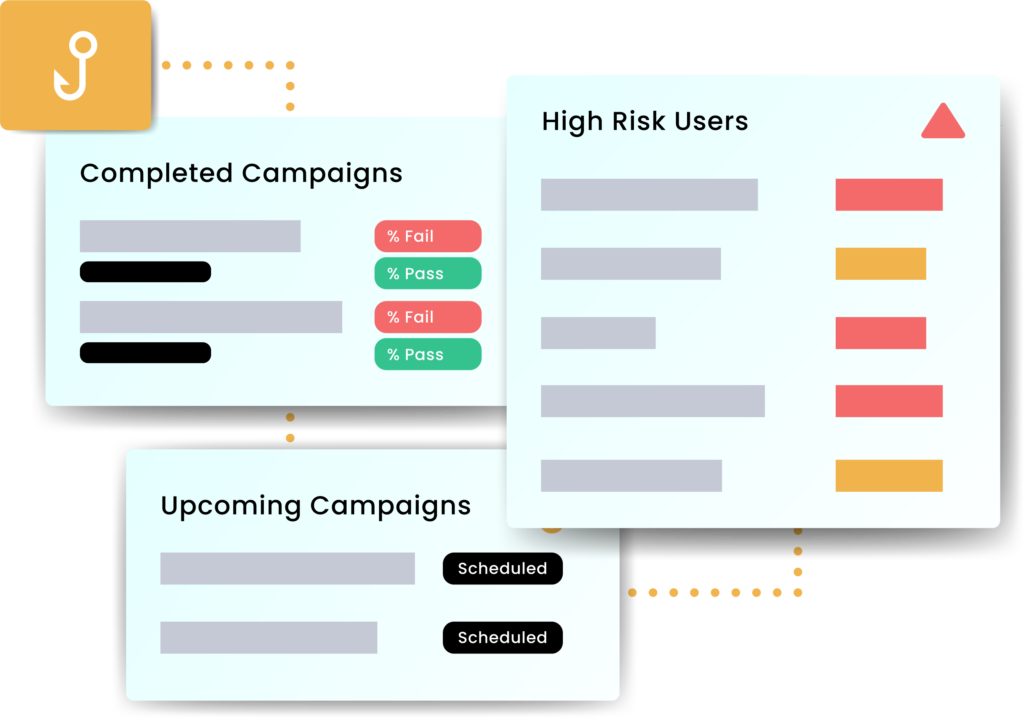
- Run continuous, varied simulations. Measure click rates, data submission, and reporting rates. Aim to improve all three.
- Segment results. Understand performance by team, location and role. Target support where it is most needed.
- Close the loop. Provide immediate feedback to participants, offer quick refreshers to those who need them, and celebrate improvement publicly.
- Test processes, not just people. Validate that reported emails reach the right team, that triage is timely, and that containment actions are triggered.
Beware common pitfalls: over‑reliance on a single template, predictable schedules that are easy to game, or punitive responses that discourage reporting.
Recommendations and Guidance
A layered programme combines people, process and technology.
People and process
- Establish a security awareness plan with quarterly themes, micro‑modules and ongoing simulations.
- Define a clear policy for reporting suspected phishing and responding to mistakes without blame.
- Run tabletop exercises that include finance approvals, supplier changes and executive impersonation scenarios.
- Provide onboarding and refresher pathways so new joiners and high‑risk roles receive timely guidance.
Technical controls
- Email security gateway with attachment sandboxing, URL rewriting and impersonation detection.
- Authentication hardening with multi‑factor authentication, conditional access and device posture checks.
- Domain protections using SPF, DKIM and DMARC with alignment and reject policies.
- Browser and DNS filtering to block known malicious destinations and risky categories.
- Endpoint protection with behaviour‑based detection and rollback for ransomware scenarios.
- Least privilege and separation of duties for sensitive actions, for example payment approvals and credential resets.
- Automation and orchestration so that reported messages are auto analysed and similar emails are removed from other mailboxes.
What good looks like
- Training completion above a defined threshold, improved assessment scores over time, and increased voluntary reporting.
- Declining click‑through and data submission rates on simulations, with faster reporting of real threats.
- Documented response playbooks, measured mean time to triage and containment, and regular post‑incident reviews.
Putting it into Practice
- Baseline. Assess current awareness, reporting routes and technical controls. Identify high‑risk processes such as payment changes and document signing.
- Launch. Roll out short training modules and enable a report phishing button. Start with a varied simulation set.
- Measure. Track engagement, click and report rates, and process timings. Share results with leaders and teams.
- Improve. Target coaching for repeat clickers, refresh scenarios to match emerging lures, and tune technical controls based on findings.
- Sustain. Keep cadence steady, integrate lessons from real incidents, and align with wider risk and compliance activities.
Talk to CyberLab
CyberLab helps organisations build practical, people‑centred defences against phishing.
The team designs training and simulation programmes, implements robust reporting and response processes, and tunes technical controls such as email security and identity protection.
To explore how to strengthen resilience against phishing and social engineering, the team is available for an initial consultation.

Protect the Public Sector: Understanding CAF & Log Management
CyberLab Team Up with Logpoint
In a recent CyberLab webinar with Logpoint‘s Director of Sales Engineering, Paul Gower, we delved into two critical areas of cyber security that are essential for protecting public sector organisations: Cyber Assessment Frameworks (CAF) and Log Management.
These frameworks, some of which are provided by the NCSC, provide the foundation for identifying, mitigating, and responding to cyber threats in a structured and effective manner.
As public sector organisations face increasing cyber risks, from data breaches to ransomware attacks, understanding and implementing robust cyber assessment frameworks and effective log management strategies is vital.
The Role of Cyber Assessment Frameworks in Public Sector Cyber Security
Cyber Assessment Frameworks (CAF) are designed to guide organisations through the process of evaluating and improving their cyber security posture. The recent webinar underscored that a key challenge for public sector bodies is ensuring that their security measures align with regulatory and compliance requirements, while also addressing the dynamic nature of cyber threats.
A CAF provides a systematic way to assess an organisation’s existing cyber security controls, processes, and policies. These frameworks are essential for identifying vulnerabilities, understanding risks, and establishing best practices for mitigating those risks. For public sector organisations, implementing a CAF offers a clear path to achieving a high level of resilience against cyber threats.
The key components of a cyber assessment framework discussed in the webinar included:
- Risk Assessment: Understanding the unique cyber risks faced by public sector bodies, such as the protection of sensitive citizen data and the security of critical national infrastructure (CNI).
- Controls and Policies: Ensuring that security controls and policies are well-defined and effectively enforced. This includes user access controls, data protection measures, and incident response protocols.
- Continuous Improvement: Emphasising the importance of regular reviews and updates to the cyber security posture, as threats and technologies evolve.
By adopting a CAF, public sector organisations can not only meet compliance standards but also ensure that they are proactively addressing security risks in an evolving threat landscape.
Log Management: The Backbone of Effective Cyber Defence
Log management emerged as another central theme in the webinar, with experts explaining its role in cyber security. Logs contain crucial information about system activities, user interactions, and network traffic. When properly managed, logs provide a valuable source of intelligence that can help organisations detect, analyse, and respond to security incidents.
For public sector organisations, log management is particularly important due to the sensitive nature of the data they handle. Effective log management enables security teams to track potential breaches, identify suspicious activities, and maintain a clear audit trail for compliance purposes.
The webinar emphasised the following best practices in log management for public sector organisations:
- Centralised Logging: Aggregating logs from various systems and platforms into a centralised location ensures that security teams have a comprehensive view of activities across the organisation.
- Real-Time Monitoring: Continuous monitoring of logs enables teams to identify and respond to threats as they occur, reducing the risk of delayed detection.
- Retention and Compliance: Retaining logs for the required period and ensuring that they meet regulatory compliance standards is essential, especially for public sector organisations that are subject to strict data protection regulations.
- Log Analysis and Automation: With the volume of logs generated daily, manual analysis can be overwhelming. AI-driven log analysis tools can automate the process of identifying anomalies and potential threats, allowing security teams to focus on higher-level decision-making.
Integrating Cyber Assessment Frameworks with Log Management
A key takeaway from the webinar was the importance of integrating cyber assessment frameworks with log management strategies. Both components complement each other to create a more holistic approach to cyber security.
By aligning the findings from cyber assessments with real-time log data, public sector organisations can continuously evaluate their security posture and ensure that they are detecting and responding to emerging threats. This integrated approach can also help organisations improve their incident response times, reduce vulnerabilities, and strengthen overall resilience.
For example, during an active cyber attack, logs can provide critical insights into how an attacker is moving through the network, while the cyber assessment framework ensures that appropriate defensive measures are in place to respond to such threats. Together, these elements form a robust defence against the growing number of cyber threats targeting public sector organisations.
Key Security and Compliance Challenges Facing the Public Sector
Legacy Systems
Many public sector organisations rely on outdated systems that are more vulnerable to attacks. These legacy systems often lack modern security features or are difficult to patch due to compatibility issues.
Resource Constraints
Budgetary limitations and resource shortages in IT and cyber security teams leave gaps in defence strategies, making public sector entities more susceptible to attacks.
Decentralised Structures
Similar to challenges faced in education, public sector organisations often have decentralised systems with numerous access points, making monitoring and securing endpoints a complex task.
Compliance Pressure
Compliance with frameworks like the Cyber Assessment Framework (CAF) is necessary but can strain already limited resources. The webinar emphasised how balancing compliance and proactive defence can be difficult.
Human Error and Insider Threats
Phishing remains a prevalent attack vector, exploiting the human element within organisations. Insufficient training for employees exacerbates the risk of falling victim to social engineering attacks.
Supply Chain Vulnerabilities
Public sector organisations often work with external contractors and suppliers, increasing the risk of supply chain attacks, which were mentioned as a growing concern.
Best Practices and Recommendations for Public Sector Organisations
To effectively combat cyber threats, public sector organisations must adopt a proactive and tailored cyber security strategy. This begins with conducting a comprehensive risk assessment to measure their overall cyber security posture and to understand what makes their organisation an attractive target.
Public sector entities should consider the assets they manage—whether it’s sensitive citizen data, critical infrastructure systems, or classified government information. Furthermore, organisations need to evaluate their relationships with third-party vendors, contractors, and external collaborators, as these partnerships may introduce additional risks.
Geographic location and political context can also influence the threat landscape, particularly if the organisation is involved in high-profile projects or operates in regions of interest to state-sponsored actors. High-ranking officials or individuals of public interest within these organisations may also attract targeted attacks, making VIP and high-risk individual protection crucial. The NCSC has published guidance for supporting such individuals within public sector environments.
With the right guidance and expertise, cyber security teams, compliance officers, and other internal stakeholders can identify their most significant risks, the threat actors most likely to target them, and the methods these adversaries are likely to employ. This enables the creation of a robust “blueprint” for an optimal cyber security strategy and posture hardening.
Armed with this understanding, public sector organisations can then implement best practices such as:
Adopting a Zero Trust Architecture
This approach assumes no user or device is trusted by default, even if they are already inside the network. This approach is especially crucial for public sector organisations, given their complex infrastructure, multiple access points, and the diverse range of stakeholders accessing resources from various locations and devices.
Example in the Public Sector: Government agencies can implement micro-segmentation within their networks to limit the movement of attackers if a breach occurs. For instance, restricting access to sensitive citizen data or administrative systems through segmented network zones can prevent unauthorised access, even if an attacker has already compromised one area.
Another common practice is continuous authentication, where the system regularly checks user credentials and behaviour, such as location, device type, or network usage, to identify any anomalies that could indicate a breach.
Case Study: The US Department of Homeland Security adopted a Zero Trust approach, implementing secure, role-based access controls for its critical systems. This minimised access privileges for non-essential users and continuously verified user identity, reducing the risk of lateral movement by attackers.
Strengthening Access Controls
Implementing Multi-Factor Authentication (MFA) and Role-Based Access Control (RBAC) ensures only authorised individuals can access critical systems and data.
MFA requires users to present two or more forms of verification (something they know, something they have, and something they are). This is particularly effective in defending against phishing attacks, which are highly prevalent in the public sector.
Example in the Public Sector: Implementing MFA across government systems for both employees and contractors can prevent unauthorised access, even if login credentials are stolen. For instance, agencies can require users to verify their identity using a mobile app or a hardware token in addition to their password.
Case Study: Implementing MFA is part of the Cyber Essentials Accreditation. Discover how the NHS strengthened their cyber security posture with CyberLab in our NHS Case Study.
Regular Software Updates and Endpoint Protection
Ensuring that all devices, including those used remotely (BYOD), have up-to-date antivirus and firewall protection is critical. Regular software updates are vital to patch known vulnerabilities. Additionally, enabling remote wipe capabilities for lost or compromised devices ensures sensitive data can be erased quickly.
Phishing and Social Engineering Awareness Training
Public sector employees are often the first line of defence against cyber threats. Regular training sessions on phishing, social engineering, and secure data handling can significantly reduce the risk of human error leading to a security breach. Training should be tailored to address specific threats targeting public sector entities, such as impersonation of government officials or fraudulent invoices.
Managed Detection and Response (MDR)
Endpoint detection alone is no longer sufficient given today’s digital threat landscape. Public sector organisations must now employ an “always-on” threat detection and monitoring capability. However, employing and retaining qualified cyber security analysts and engineers can be very expensive. Running a 24/7 SOC (Security Operations Centre) in-house with experienced analysts and security experts with state-of-the-art defensive technologies is often reserved for large-scale government bodies.
MDR services provide continuous monitoring and analysis of an organisation’s entire estate, including endpoints, network traffic, and activity logs. By outsourcing to experts, public sector organisations can ensure that threats are detected and mitigated in real-time, reducing the risk of a successful attack.
Incident Response and Recovery
Having a robust incident response plan is essential for mitigating the damage caused by cyber incidents. Public sector organisations should invest in both in-house and outsourced incident response teams to ensure a swift and effective reaction to breaches. Regular assessments of cyber incident response plans (CIRP) or ‘tabletop exercises’ simulating various cyber incident scenarios ensure response strategies are robust and understood by all risk owners.
Vulnerability Management
Regularly updating and patching software, coupled with continuous vulnerability assessments, is vital for maintaining a secure infrastructure. Cyber security as a Service (CSaaS) solutions, such as CyberLab Control, can help public sector organisations manage vulnerabilities effectively without overburdening internal teams.
Conclusion: A Unified Approach to Public Sector Cyber Defence
Protecting public sector organisations against cyber threats requires a strategic, integrated approach that combines both cyber assessment frameworks and effective log management. By focusing on these key areas, public sector bodies can ensure they are well-prepared to defend against the growing range of cyber threats.
Our webinar with Logpoint served as a valuable resource for organisations looking to improve their security posture and implement best practices in the face of an ever-evolving digital landscape.

Protect Everything with Microsoft Using Built‑In Security and Controls
Safeguarding Your Digital Assets in an AI-Driven World
Discover the key takeaways from the Securetour 2023 session “Protect Everything With Microsoft” as we delve into the wide range of comprehensive solutions and strategies provided by Microsoft. Explore how these offerings can safeguard and fortify your valuable digital assets in today’s interconnected landscape.
This article covers:
- Understanding the Cyber Security Landscape
- Microsoft’s Comprehensive Security Solutions
Securetour, the virtual cyber security event, brought together industry experts to share valuable insights and strategies for fortifying digital defences. In one of the sessions, Damian Andrews from CyberLab and Jon Davies from Microsoft (MS Link) shed light on the importance of robust cybersecurity measures and how organisations can benefit from Microsoft’s comprehensive security solutions.
This blog post explores the key takeaways from their session and highlights the role of Chess ICT and CyberLab in helping organisations strengthen their cybersecurity posture.
Understanding the Cyber Security Landscape
Cyber threats are more sophisticated than ever, driven by AI-powered attack vectors, deepfake phishing, and supply chain vulnerabilities.
Damian Andrews, Security Consultant at CyberLab, emphasised during SecureTour 2025 that organisations must adopt proactive, layered defence strategies to protect sensitive data, infrastructure, and intellectual property.
Microsoft’s Secure Future Initiative and AI-Driven Security
Jon Davies, Chief Security Advisor at Microsoft, outlined how Microsoft’s Secure Future Initiative (SFI) is transforming cybersecurity through AI-first principles and Zero Trust architecture. [microsoft.com], [microsoft.com], [microsoft.com]
Key Components of Microsoft’s Security Ecosystem:
- Threat Protection & Detection: Microsoft Defender and Security Copilot use AI and behavioural analytics to detect and respond to threats in real time. [microsoft.com]
- Identity & Access Management: Azure Active Directory (now Microsoft Entra ID) enforces multifactor authentication, conditional access, and identity governance to prevent unauthorised access. [microsoft.com]
- Data Protection & Compliance: Microsoft Purview and Information Protection tools help classify, label, and secure sensitive data across hybrid environments. [microsoft.com]
- Cloud Security: Azure’s built-in security controls, combined with Microsoft Defender for Cloud, provide visibility and protection across workloads, endpoints, and cloud services.
Tales from the CyberLab: Adopting Microsoft Copilot Securely Explained with Chess
CyberLab’s Role in Strengthening Defences
CyberLab continues to be a trusted partner in helping organisations implement Microsoft’s security solutions effectively. At SecureTour 2025, CyberLab showcased real-world attack simulations, incident response strategies, and AI-driven threat detection.
CyberLab Services:
- Security Consultancy: Tailored assessments and implementation support for Microsoft security tools.
- Security Awareness Training: Programmes to build a cyber-aware workforce.
- Managed Security Services: 24/7 monitoring, incident response, and continuous improvement.
CyberLab’s MDR service now integrates natively with Microsoft 365, Azure, and Intune, ingesting telemetry from Exchange Online, Teams, SharePoint, and Entra ID to detect phishing, MFA bypass attempts, and suspicious inbox rules.

How To Recover From a Cyber Attack: Steps to Bounce Back Stronger
Building a Resilient Recovery Strategy for 2025 and Beyond
Gavin Wood, CyberLab CEO, summarises how to recover from a cyber attack and advises how to create your disaster recovery plan.
He covers:
- Introduction to Cyber Disaster Recovery
- Creating your Disaster Recovery Plan
- Regular Testing
Creating an Effective Disaster Recovery Plan
A robust DR plan should include:
- Infrastructure Visibility: Know your estate – if you can’t see it, you can’t recover it.
- Impact Assessment: Evaluate the business impact of losing access to each system.
- Prioritisation: Identify mission-critical systems and define Recovery Time Objectives (RTOs).
- Technology Selection: Choose appropriate DR technologies, from real-time replication to secure offsite backups.
- Policy & Governance: Document procedures, assign roles, and ensure accessibility of the plan- even during a crisis.
Regular Testing: The Key to Confidence
Testing is the only way to validate a DR plan. Organisations must go beyond checking backup logs – full restoration drills are essential. Early failures during testing are expected and valuable, helping refine procedures and improve resilience.
As highlighted by the Gloucester Council incident, where systems remained offline for nearly ten months, the cost of inadequate recovery planning can be severe – impacting reputation, revenue, and public trust.
Rapid Recovery Is Now a Strategic Differentiator
Speed is critical. In 2025, businesses that recover quickly from cyber incidents will retain customers and avoid regulatory penalties. Modern DR strategies must integrate cyber resilience, including:
- Immutable backups
- Automated failover systems
- Real-time monitoring
- Isolated recovery environments for forensic analysis
Tales from the CyberLab: Ransomware Response Explained

Cyber Security Challenges Within the Public Sector and How to Respond
How Threat Hunting and MDR Are Shaping Public Sector Resilience
The UK’s public sector – spanning the NHS, central and local government, emergency services, and education – is increasingly targeted by cyber criminals.
With digital transformation accelerating post-pandemic, the stakes have never been higher. According to recent government reports, ransomware attacks have cost public bodies over £1 million per incident, and more than 25% of breaches go undetected for months.
Key Challenges in the Public Sector
1. Skills Shortages
Public sector organisations face a critical shortage of cyber expertise. One in three cyber roles remains vacant or filled by costly contractors, and many departments lack senior digital leadership.
2. Financial Constraints
Budget pressures make it difficult to invest in proactive security measures. Yet prevention remains far more cost-effective than remediation.
The Solution: Sophos MDR
Sophos Managed Detection and Response (MDR) offers 24/7 threat hunting and incident response, bridging the skills gap and providing scalable protection. It combines AI-driven detection with human-led analysis to:
- Proactively hunt and validate threats
- Assess severity and business impact
- Contain and neutralise attacks remotely
- Provide root cause analysis and remediation guidance
Deployment options include:
- Notify: Sophos alerts your team to threats
- Collaborate: Joint response with your internal team
- Authorise: Sophos handles containment and informs you of actions taken
This flexible model ensures public sector organisations retain control while benefiting from expert support.
Protect the Public Sector: Understanding Security Frameworks & Log Management
Real-World Applications
Healthcare
An NHS Ambulance Trust adopted Sophos MDR to ensure uninterrupted access to patient data and services. Building an in-house 24/7 SOC was cost-prohibitive, making MDR a practical alternative.
Education
A leading independent school implemented Sophos MDR to protect student data and avoid ransomware-related downtime. Their proactive stance ensured continuity in teaching and learning.
Housing Associations
CyberLab has supported housing providers in deploying MDR to safeguard resident data and maintain operational integrity. These organisations now benefit from continuous monitoring and expert threat response.
Summary
The UK Government Cyber Security Strategy calls for a shift from reactive to proactive security across the public sector. Sophos MDR enables this transition by delivering round-the-clock protection, addressing talent shortages, and supporting digital resilience.
CyberLab is proud to support public sector clients across healthcare, education, housing, and government. As Sophos Public Sector Partner of the Year for ten consecutive years, and with a team of CREST and CHECK-certified testers, we’re here to help you strengthen your cyber defences.

Security Simplified with Forcepoint for Modern Data Protection
Simplified Protection Against Complex Cyber Threats
Uncover how Forcepoint redefines security practices with their streamlined solutions. In this blog, we explore the key takeaways from the session, showcasing how Forcepoint simplifies and reinforces cybersecurity measures to protect your vital assets in the dynamic digital landscape of today.
- Simplifying Security with Forcepoint 4.1
- Forcepoint’s Security Offering
- The Role of CyberLab
As part of Securetour 2023, Forcepoint and CyberLab discussed the importance of simplifying security practices and the role of Forcepoint in achieving this objective. The session featured Tim Headicar, Head of Technical Services at CyberLab, and Stuart Wilson, Manager of Sales Engineering for UK&I at Forcepoint. In this blog post, we will delve into the key insights from the session and explore how CyberLab and Forcepoint can assist organisations in their security endeavours.
Simplifying Security with Forcepoint 4.1
The session commenced with Stuart Wilson outlining the need for a simplified approach to security, given the increasing complexity and the staggering number of open security positions. Forcepoint’s mission is to alleviate the burden by enabling organisations to embrace a zero-trust security approach.
Wilson highlighted Forcepoint 4.1 as the solution that empowers organisations to manage policies for web applications, cloud applications, and private applications in a unified manner. By leveraging 4.1, organisations can push enforcement down to the edge, allowing intelligent decisions to be made locally.
This approach not only enhances user experience but also ensures faster and uniform data access across wired and wireless devices.
Forcepoint’s Security Offering
Wilson emphasised that Forcepoint’s security solution extends beyond 4.1. He discussed the integration of Secure SD-WAN and next-gen firewall solutions, which work harmoniously with the 4.1 platform. This comprehensive offering provides organisations with a robust and holistic security framework.
Another notable aspect of Forcepoint’s portfolio is its renowned Data Loss Prevention (DLP) technology. This technology, deeply embedded within the 4.1 platform, allows for consistent and enterprise-grade DLP capabilities. Forcepoint’s commitment to integrating DLP ensures that data remains secure across web connections, cloud applications, and private applications.
Tales from the CyberLab: AI’s Role in Data Protection Explained
The Role of CyberLab
During the session, Tim Headicar from CyberLab emphasised his role in helping businesses navigate the complexities of cyber security. As a trusted partner, CyberLab offers expert guidance and consultation to organisations seeking to strengthen their security posture.
By partnering with Forcepoint, CyberLab can provide tailored solutions that align with each organisation’s unique needs, ensuring robust protection and peace of mind.
Conclusion
In an era of increasing cybersecurity complexities, the session on “Security Simplified with Forcepoint” at Securetour 2023 served as a reminder of the importance of simplifying security practices. Forcepoint’s 4.1 platform, along with its comprehensive offering of solutions, presents organisations with the opportunity to embrace a zero-trust security approach and achieve a unified and simplified security architecture.
With the expertise of CyberLab and the robust capabilities of Forcepoint, organisations can confidently navigate the evolving threat landscape. By leveraging tailored solutions, businesses can enhance their security posture and safeguard their digital assets.
Securetour 2023 provided an ideal platform for industry professionals to gain insights, exchange knowledge, and collaborate on building a more secure future. The session on “Security Simplified with Forcepoint” underscored the significance of simplified security practices and the role of innovative solutions in achieving this goal.

What is Malware and How to Protect Against It with Smart Security
Everything You Need To Know About Malware
Malware is one of the most persistent threats to modern businesses. CyberLab outlines what malware is, how the threat has evolved, and five practical steps any organisation can take to reduce risk and strengthen defences.
What is Malware?
Malware (short for “malicious software”) is an umbrella term for software designed to infiltrate systems, disrupt operations, or steal data. Categories often overlap, but common types include:
- Viruses
Malicious code that attaches to legitimate files and can corrupt, modify, or delete data. - Worms
Self‑propagating software that spreads across connected devices and networks without user action. - Trojans
Malware that masquerades as legitimate software, often creating a “backdoor” that allows further compromise. - Adware
Software that displays intrusive adverts; beyond nuisance, it can weaken security and lead to additional malware. - Spyware
Software that covertly captures sensitive information such as credentials, payment data, and browsing activity. - Rootkits
Tools that provide stealthy, privileged access so an attacker can operate like an administrator without detection.
The Modern Malware Threat
Historically, threats tended to sit neatly within one category. Today, adversaries combine techniques to maximise impact. A single campaign might hide like a trojan, spread like a worm, disrupt systems like a virus, and quietly harvest credentials.
Motivations have also shifted. Where older malware often aimed to cause nuisance, modern operators are financially driven. Ransomware remains one of the most common and disruptive threats: attackers encrypt business data and demand payment for decryption. Increasingly, groups use double‑extortion tactics, exfiltrating sensitive data before encryption, then threatening to leak it to increase pressure on victims.
The implications are clear. Organisations need layered controls that can prevent, detect, and respond to sophisticated, multi‑stage attacks, and they need the governance and processes to recover quickly.
Five Steps to Protect Against Malware
1) Use modern endpoint protection
Traditional antivirus relies on signatures of known threats. Given the pace of change, that is no longer sufficient by itself. Organisations should adopt behaviour‑based protection such as Endpoint Detection and Response (EDR) or Next‑Gen AV, which use analytics and machine learning to detect suspicious activity, block unknown malware, and provide investigation and response capabilities. Consider managed detection to extend coverage outside business hours.
What good looks like:
- Behaviour‑based detection, not only signatures
- Ransomware rollback or containment features
- Centralised policy, alerting and response across all endpoints
2) Manage devices and privileges
Limit administrative rights and separate admin accounts from day‑to‑day user accounts. Apply least privilege and strong authentication to reduce the blast radius if an account is compromised. For mobiles and laptops, use device management to enforce security baselines, control app installation, and protect corporate data.
What good looks like:
- Role‑based access, separate admin credentials, multi‑factor authentication
- Mobile and endpoint management (for example, Microsoft Intune) to enforce policies
- Only approved app stores such as Google Play and the Apple App Store
3) Keep software up to date
Attackers routinely exploit known vulnerabilities. Maintain an accurate asset inventory, apply security updates promptly, and remove software that is end‑of‑life or unsupported. Regular vulnerability assessments help identify gaps and track remediation progress.
What good looks like:
- Standard patching cadence with clear service‑level objectives
- Prioritisation for internet‑facing and business‑critical systems
- Continuous scanning and reporting to verify closure of issues
4) Control USB and other removable media
Removable media can introduce malware into otherwise controlled environments. Reduce risk by blocking ports where not required, restricting device types, and scanning any permitted media. Provide secure alternatives for file transfer so staff do not need ad‑hoc USB sticks.
What good looks like:
- Default block on removable storage, allow by exception with approval
- Device control and data loss prevention to monitor usage
- Approved, secure file‑sharing solutions and clear guidance for staff
5) Use firewalls and network controls
Firewalls act as a first line of defence between internal networks and the internet. Apply default deny where practical, restrict inbound and outbound traffic, and enable features such as intrusion prevention and web filtering. Use host firewalls on endpoints and segment internal networks to limit lateral movement.
What good looks like:
- Properly configured perimeter and host‑based firewalls
- Application‑aware controls, DNS and web filtering
- Segmentation of critical services and monitoring of east‑west traffic
Bringing it Together
No single control stops every threat. A layered approach that combines prevention, detection, response, and recovery is essential. Training and clear processes matter as much as technology. When organisations align controls to their risk profile and keep them well managed, they significantly reduce the likelihood and impact of malware incidents.
Talk to CyberLab
CyberLab helps organisations assess their exposure, strengthen controls, and get more value from existing tools. To discuss how to improve protection against malware and wider cyber threats, the team is available to help shape a pragmatic plan that fits the environment, budget, and risk appetite.

Vulnerability Assessment vs Penetration Test: Key Differences Explained
What Is The Difference & When To Use Each?
CyberLab explains how Vulnerability Assessments (VAs) and Penetration Tests (Pen Tests) work, how they complement each other, and how to build a sensible testing cadence that fits risk and change.
Quick Summary
- Vulnerability Assessment: Automated discovery of known weaknesses across systems and networks, producing a prioritised list to remediate. Fast coverage, broad visibility, highly repeatable.
- Penetration Test: Expert‑led simulation that chains weaknesses to achieve realistic attack objectives, validating impact and controls. Deeper insight, business‑level risk narrative, targeted improvements.
Both are essential. A VA finds what is exposed. A Pen Test proves what is exploitable and why it matters.
What is a Vulnerability Assessment?
A Vulnerability Assessment actively scans internal and/or external infrastructure to identify known weaknesses that attackers could exploit. It is run against defined IP ranges or assets and produces a report with findings and remediation guidance.
Typical issues uncovered include:
- Unpatched or end‑of‑life software
- Misconfigured or exposed services and ports
- Default or weak credentials (for example, admin/admin)
- Insecure protocols and ciphers (for example, legacy TLS versions)
Where it helps most:
- As the first step in a security testing journey, establishing a baseline quickly
- As a regular control to catch drift from secure baselines, configuration errors and newly disclosed vulnerabilities
Cadence: Monthly or quarterly is common, depending on change rate and risk appetite. Remember that VAs, like Pen Tests, provide a point‑in‑time view, so frequency matters.
Beyond automation: While scanning is largely automated, experienced teams add value with context, open‑source intelligence (OSINT) where appropriate, and aftercare that helps teams interpret, prioritise and fix efficiently.
What is a Penetration Test?
A Penetration Test goes further and deeper. It uses expert techniques to validate how vulnerabilities can be combined, exploited and escalated to achieve meaningful objectives.
Activities typically include:
- Research and reconnaissance
- Threat modelling and attack path analysis
- Vulnerability exploitation and privilege escalation
- Lateral movement and data access validation (within agreed scope)
- Documentation of impact with an executive summary, attack narrative, and ranked remediation plan
Cadence: Often annual as a baseline, with additional testing after significant changes such as new remote access solutions, major application releases or compliance drivers. Pen Tests are more resource‑intensive and take longer than VAs, which is why a staged approach is effective.
A Simple Analogy
Think of a network as a house.
- A Vulnerability Assessment identifies weaknesses: a rusty lock, a half‑open window, a bin that could be used as a step.
- A Penetration Test tries to chain these findings: test the lock, leverage the bin to reach the window, and prove whether a break‑in is possible.
Both insights are valuable. The VA shows where to improve. The Pen Test shows what really happens if issues are left unfixed.
Key Differences at a Glance
- Depth vs breadth: VA prioritises coverage and speed, Pen Test prioritises depth and realism.
- Automation vs expertise: VA is largely automated with expert interpretation, Pen Test is expert‑led throughout.
- Outcome: VA provides a list of weaknesses to remediate, Pen Test provides validated attack paths, business impact and targeted fixes.
- Frequency: VA more frequent to reduce exposure between changes, Pen Test periodic or change‑driven to validate resilience.
How They Work Together
- Start with a VA to remove the obvious and reduce the attack surface quickly.
- Follow with a Pen Test to validate critical paths, controls and detection/response.
- Repeat VAs regularly to catch configuration drift and new vulnerabilities.
- Trigger Pen Tests after major change or on a set cycle to keep assurance current.
What ‘Good’ Looks Like in the Reports
Vulnerability Assessment report:
- Clear asset scope and scan coverage
- Findings grouped and prioritised by severity, with fix guidance
- Trends over time when assessments are run regularly
Penetration Test report:
- Executive summary in business terms
- Attack narrative that explains how access was achieved and what it enabled
- Ranked vulnerabilities with technical detail and remediation steps
- Evidence that supports replication and verification
Both are only worthwhile if the organisation acts on remediation and tracks closure.
Practical Testing Cadence
- High change or internet‑facing assets: VA monthly, or more frequently for critical services
- Broad internal estate: VA quarterly
- Pen Test: annually as a baseline, plus after significant architectural or application change, or when required by regulation
Plan windows carefully. Automated scans can be “noisy” on the network, and some Pen Test activities may require coordination to avoid operational disruption.
Choosing a Trusted Provider
Look for independent, accredited testing delivered under strict NDAs and with clear separation from sales and implementation teams. Frameworks such as CREST help ensure quality, ethical practice and consistent methodology. Vendor‑agnostic reporting and unbiased recommendations support better decision‑making.
Getting Started
CyberLab helps organisations plan a sensible testing programme, starting with rapid visibility through a Vulnerability Assessment and moving to targeted Pen Testing that validates real‑world risk. The team can also support prioritised remediation and help embed repeatable processes so improvements stick.
To discuss scope, cadence and outcomes that fit your environment and risk profile, the CyberLab team is available for an initial consultation.

What is Social Engineering and How Can You Prevent It? Essential Tips
Everything You Need To Know
When people think of insider threats, they often picture a disgruntled employee misusing legitimate access. In reality, one of the most dangerous risks comes from well‑intentioned employees being manipulated by attackers. This is the essence of social engineering.
What is Social Engineering?
Social engineering is a tactic where attackers exploit human behaviour rather than technical flaws. Instead of breaking through firewalls, they trick individuals into giving away information, credentials or access. These attacks rely on trust, curiosity or a desire to help.
Unlike malicious insiders, social engineering attacks are usually launched by external actors who manipulate employees into actions that compromise security – such as clicking a malicious link or sharing sensitive data.
Common Types of Social Engineering Attacks
Phishing
The most widespread form of social engineering. Attackers send emails, messages or create fake websites that mimic trusted organisations (banks, government agencies, major brands). Victims are lured into entering credentials or downloading malware.
Baiting
Offering something enticing – like free music downloads or branded USB drives – in exchange for action. Once the bait is taken, malware is installed or data is harvested.
Quid Pro Quo
An attacker offers a service in return for information. For example, posing as IT support and offering “free troubleshooting” in exchange for login details.
Pretexting
Building a false sense of trust by impersonating someone in authority (e.g., HR, IT, auditors). The attacker fabricates a scenario to justify requests for sensitive data or access.
Piggybacking (Tailgating)
Physical intrusion by following an authorised person into a restricted area or borrowing a device under false pretences. For example, asking someone to hold a door open because they “forgot their badge”.
Why Social Engineering Works
- Human nature: People want to be helpful and avoid conflict.
- Authority and urgency: Attackers often create pressure to act quickly.
- Familiarity bias: Impersonating colleagues or trusted brands lowers suspicion.
How to Protect Against Social Engineering
1. Be cautious with emails and attachments
If you don’t recognise the sender, don’t engage. Even if you do, verify suspicious requests through a separate channel (e.g., call the person directly). Remember: email addresses can be spoofed.
2. Use layered security
Deploy professional spam filters and enable multi‑factor authentication (MFA). MFA adds a critical layer of defence if credentials are compromised.
3. Think before you click
If an offer seems too good to be true, it probably is. A quick online search can confirm whether it’s legitimate or a scam.
4. Secure your devices
Maintain a standard build, keep antivirus and firewalls active, and apply patches promptly. Outdated systems are easy targets.
5. Educate and test regularly
Run security awareness training and simulated phishing exercises. People are the first line of defence – make sure they know how to spot and report suspicious activity.
Key Takeaway
Technology alone cannot stop social engineering. The most effective defence combines awareness, process and technology.
By training staff, enforcing strong access controls and maintaining layered security, organisations can significantly reduce the risk of a successful attack.