


Anti-Phishing Measures To Stay Secure
Phishing remains one of the most common entry points for cyber attacks.
CyberLab outlines what phishing is, why it matters, how to enable people to recognise and avoid it, and how organisations can gain confidence that defences are working.
What is Phishing and Why Does it Matter?
Phishing is a form of social engineering where an attacker sends a deceptive message that appears to come from a trusted source. The goal is to trick the recipient into taking an action, for example entering credentials, opening a malicious attachment, approving a fraudulent payment, or installing malware that leads to ransomware or data theft.
Phishing is serious for three reasons:
- It targets people, not just systems. Even well secured environments can be compromised if a user is manipulated into granting access.
- It often starts bigger incidents. Many breaches begin with a single click that leads to credential theft, lateral movement and impact on critical services.
- It keeps evolving. Messages are increasingly polished, personalised and timed to match real business processes, which reduces the likelihood that staff will recognise them on sight.
How to Enable People to Spot & Avoid Phishing
Technology is necessary, but it is not sufficient on its own. Building capability in people requires an ongoing programme that is practical, engaging and measurable.
Design training for how adults learn
- Short, focused modules. Ten to fifteen minute sessions, delivered regularly, improve retention without disrupting the day.
- Varied formats. Video, interactive scenarios, quick reads and micro‑quizzes cater for different learning styles.
- Role‑specific examples. Finance teams, customer service and executives face different lures and require tailored scenarios.
- Just‑in‑time nudges. Brief reminders at the point of risk, for example before seasonal peaks or system changes, reinforce good judgement.
Make simulations realistic and continuous
- Diverse templates. Use a wide variety of lures and brands so knowledge cannot spread as “avoid that specific email”.
- Adaptive scheduling. Send simulations at different times and frequencies so vigilance becomes a habit, not a one‑off event.
- Teachable moments. If a user interacts with a simulation, show a friendly landing page that explains the red flags they missed and how to spot them next time.
Encourage reporting, not silence
- One‑click reporting. Provide a report phishing button in email clients and make sure it is monitored.
- Positive tone. Thank staff for reporting, even if the message turns out to be benign. Avoid blame, focus on learning.
- Clear playbooks. Ensure staff know what to do if they have clicked. Quick reporting enables faster containment.
How Organisations Gain Confidence in User Readiness
Occasional simulations and a long video once a year do not provide assurance. A stronger approach combines training, testing and metrics.
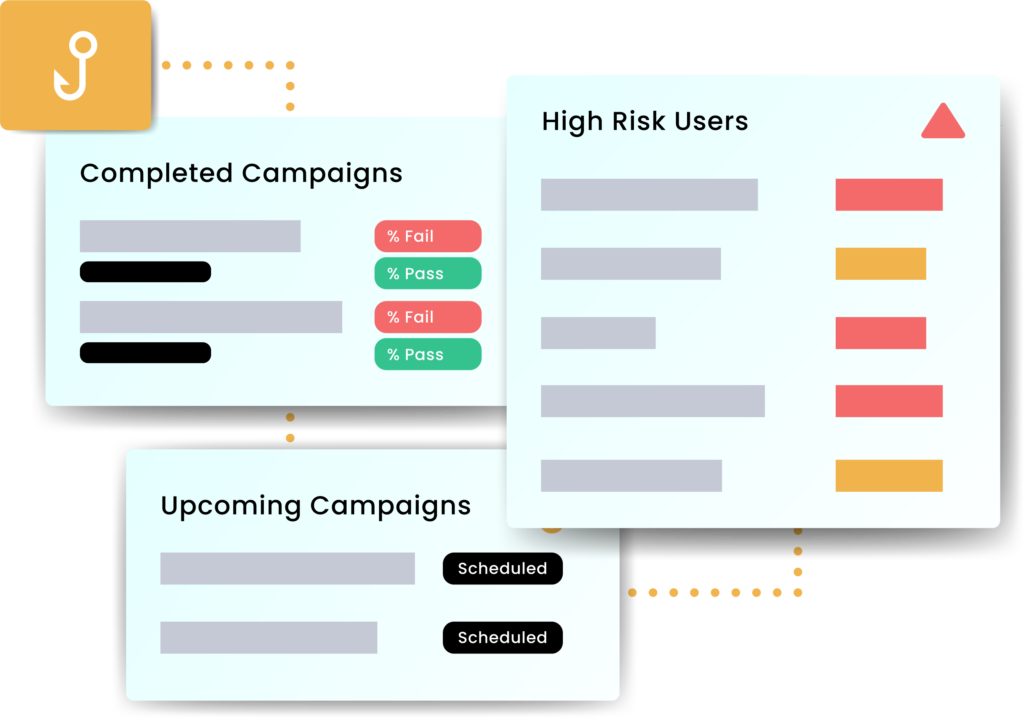
- Run continuous, varied simulations. Measure click rates, data submission, and reporting rates. Aim to improve all three.
- Segment results. Understand performance by team, location and role. Target support where it is most needed.
- Close the loop. Provide immediate feedback to participants, offer quick refreshers to those who need them, and celebrate improvement publicly.
- Test processes, not just people. Validate that reported emails reach the right team, that triage is timely, and that containment actions are triggered.
Beware common pitfalls: over‑reliance on a single template, predictable schedules that are easy to game, or punitive responses that discourage reporting.
Recommendations and Guidance
A layered programme combines people, process and technology.
People and process
- Establish a security awareness plan with quarterly themes, micro‑modules and ongoing simulations.
- Define a clear policy for reporting suspected phishing and responding to mistakes without blame.
- Run tabletop exercises that include finance approvals, supplier changes and executive impersonation scenarios.
- Provide onboarding and refresher pathways so new joiners and high‑risk roles receive timely guidance.
Technical controls
- Email security gateway with attachment sandboxing, URL rewriting and impersonation detection.
- Authentication hardening with multi‑factor authentication, conditional access and device posture checks.
- Domain protections using SPF, DKIM and DMARC with alignment and reject policies.
- Browser and DNS filtering to block known malicious destinations and risky categories.
- Endpoint protection with behaviour‑based detection and rollback for ransomware scenarios.
- Least privilege and separation of duties for sensitive actions, for example payment approvals and credential resets.
- Automation and orchestration so that reported messages are auto analysed and similar emails are removed from other mailboxes.
What good looks like
- Training completion above a defined threshold, improved assessment scores over time, and increased voluntary reporting.
- Declining click‑through and data submission rates on simulations, with faster reporting of real threats.
- Documented response playbooks, measured mean time to triage and containment, and regular post‑incident reviews.
Putting it into Practice
- Baseline. Assess current awareness, reporting routes and technical controls. Identify high‑risk processes such as payment changes and document signing.
- Launch. Roll out short training modules and enable a report phishing button. Start with a varied simulation set.
- Measure. Track engagement, click and report rates, and process timings. Share results with leaders and teams.
- Improve. Target coaching for repeat clickers, refresh scenarios to match emerging lures, and tune technical controls based on findings.
- Sustain. Keep cadence steady, integrate lessons from real incidents, and align with wider risk and compliance activities.
Talk to CyberLab
CyberLab helps organisations build practical, people‑centred defences against phishing.
The team designs training and simulation programmes, implements robust reporting and response processes, and tunes technical controls such as email security and identity protection.
To explore how to strengthen resilience against phishing and social engineering, the team is available for an initial consultation.